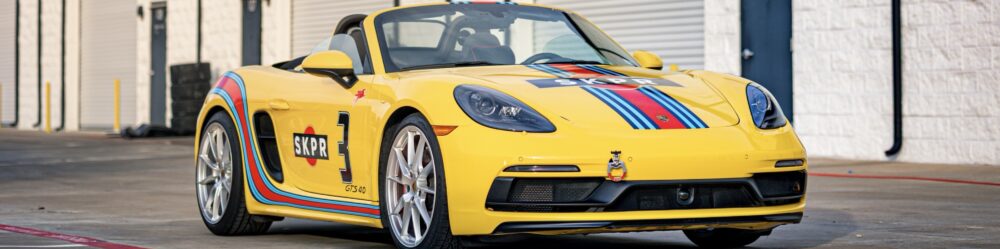
If you’ve followed my track progression with the Racing Yellow 718 Boxster GTS 4.0 (the Skipper) or the Lizard (992.1 C4S), you know I approach HPDE the same way I approach sailing offshore: systems, redundancy, and discipline.
On track, I run a five-piece setup:
iPhone, RaceChrono, OBDLink MX+, RaceBox Mini (25Hz GPS) and one or two GoPro cameras.
When configured correctly, everything starts recording with one press of a button inside RaceChrono — including the GoPro so I can capture Video clips like this.
Here’s exactly how it works and the Role of Each Device
iPhone
The iPhone is the command center. It runs RaceChrono, manages device connections, and can record video itself in addition to the GoPros. It must be mounted securely and kept cool. Direct Texas sun at ECR or MSR Cresson will overheat it quickly if airflow is poor.
RaceChrono
RaceChrono is the brain of the operation. It logs laps, sectors, GPS traces, OBD telemetry, and controls GoPro recording automatically over Wi-Fi. It also handles post-session analysis and video overlays.
One press of “Start” inside RaceChrono can begin: GPS logging, OBD logging and GoPro recording
That automation removes one of the most common track-day mistakes — forgetting to hit record on camera.
OBDLink MX+
The MX+ plugs into the OBD port and transmits vehicle data via Bluetooth. On my Porsche 718 and 992, I log: RPM, Throttle position, Coolant temperature, Intake air temperature, Vehicle speed (reference).
Throttle traces and RPM data are invaluable for seeing hesitation, lift timing, and shift consistency.

RaceBox Mini (25Hz GPS)
The RaceBox Mini provides high-accuracy 25Hz GPS data via Bluetooth. That’s dramatically more precise than the phone’s internal GPS.
Why this matters: More accurate braking zone data, Smoother speed traces, Reliable sector timing, Cleaner corner minimum speed analysis.
On tighter tracks like MSR Cresson, that higher sampling rate makes your data much more usable.

GoPro (1 or 2 Cameras)
I typically run one forward-facing camera mounted near the rearview mirror. Sometimes I add a second GoPro on the tow hook for drama and engine sound.
RaceChrono connects to GoPro via Wi-Fi — not Bluetooth — and can automatically start and stop recording when you press Start/Stop inside the app.
That means when I roll from grid and press Start:
– RaceBox logs GPS
– MX+ logs telemetry
– GoPro begins recording
– Lap timer starts
One button. Everything synced.
Garmin Catalyst
In addition to this entire iPhone / RaceChrono / MX+ / RaceBox / GoPro stack, I also run a Garmin Catalyst on the track — and it serves a completely different, complementary role. The Catalyst is my real-time coach. It gives immediate feedback between sessions, shows me where I’m gaining or losing time, and suggests specific corner improvements based on predictive lap modeling.
While RaceChrono and the external GPS/OBD setup are built for deep post-session analysis and clean video overlays, the Catalyst shines in the moment — helping me adjust braking points, line choice, and throttle application right away. I don’t see them as redundant tools at all; they approach improvement from different angles. Catalyst helps me drive better the next session. RaceChrono helps me understand why.
How to Set It Up Properly
Mounting First
I use a Roadspy Super Mount to mount my iPhone securely. If it moves, your video overlays won’t align properly. Mount GoPros with solid hardware — adhesive mounts preferred over suction in heat.
Power Strategy
Fully charge everything before sessions.
RaceBox Mini must be charged separately and for ease of use, should be connected to power while on the track.
MX+ draws power from the car.
GoPros must have adequate battery and SD space.
Device Connection Order
Turn on RaceBox Mini Plug in MX+ Turn on GoPro and enable Wi-Fi Open RaceChrono Confirm GPS source is set to RaceBox (not internal) Confirm OBD device is MX+ Confirm GoPro is connected under Camera settings Enable “Start/Stop camera automatically”
Common Mistakes
Forgetting to switch GPS source on the RaceChrono app to RaceBox
Not verifying OBD data is actively logging
Letting GoPro Wi-Fi time out
GoPro overheating
SD card full
Low battery on RaceBox mid-session
Phone overheating in sun
Wrong track configuration selected
Also: relying solely on automation without glancing at the GoPro screen. I still visually confirm recording on grid.
The Output
After each session, I review data before watching the video.
In RaceChrono I analyze:
Best lap vs session average
Sector splits
Minimum corner speeds
Throttle application consistency
Brake release timing
Then I export video overlays including:
Speed
RPM
Throttle %
Lap delta
Track map
The result is YouTube-ready footage and meaningful coaching insight.
This process has helped me chip away at lap times at ECR and become more consistent at MSR.
Paddock-to-Grid Checklist
Before leaving paddock:
Tire pressures set
RaceBox powered on
MX+ plugged in
GoPro powered on
SD card space confirmed
iPhone mounted securely
Bluetooth connections verified
GPS source confirmed as RaceBox
OBD confirmed logging
Correct track selected
Camera auto-start enabled
On grid:
Press Start in RaceChrono
Confirm timer running
Glance at GoPro to confirm recording
Helmet on
Focus
After cool-down lap:
Do not stop recording until back in paddock
Stop session
Verify session saved
Confirm video file recorded
Final Thoughts
This system may sound complex. After a few events, it becomes second nature.
Consistency is everything. Same mounting. Same pairing order. Same checklist.
Data does not replace seat time. But clean, synchronized GPS + telemetry + video accelerates learning dramatically.
For me, this setup has become part of the routine — like checking lug torque or hot tire pressures. It turns every lap into usable feedback.
And that’s how progress compounds.